 Mini Audition
Your plugins, in Mini Audition 5.6
Until now, Mini Audition had thirteen effects of its own, and that was it. With 5.6, every Audio Unit effect on your Mac joins them: Apple’s own (a graphic EQ, a multiband compressor, a reverb and more) and any others you’ve installed.
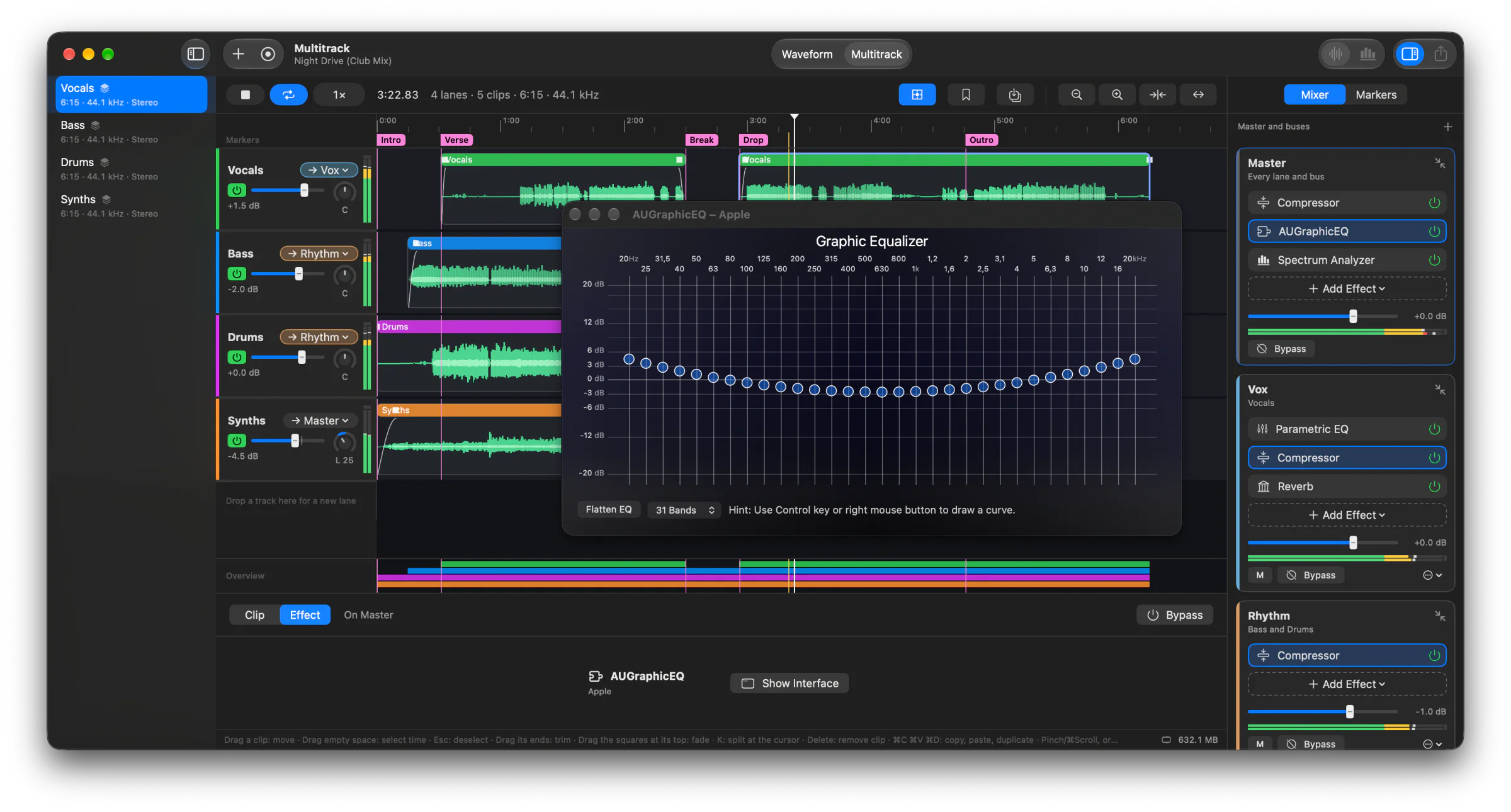
Where to find them
Choose Effects › Audio Units, or Add Effect in any chain, and pick a plugin by its maker. It can go:
- on a track, in the effect panel: you hear it as the track plays, and Apply renders it into the selection or the whole track, its tail included;
- on a bus or Master in the multitrack mixer, where it plays live and goes into the mixdown.
The plugin’s own window opens as soon as it’s loaded, and again whenever you click its effect in the chain. Plugins without a window of their own get a slider for each setting.
Safe to try
Each plugin runs in a process of its own, so if one crashes, Mini Audition carries on, and so does your session. A plugin that takes a moment to start shows a spinner in the chain instead of freezing the window.
Remembered
A session saves every plugin with its settings, so it sounds the same next time. Open it on a Mac without one of its plugins and that plugin keeps its place and its settings; saving doesn’t lose them, and on a Mac that has it, it’s all back. On a track, a plugin opens with the settings you last applied.
If a plugin plays late (some look ahead), the mixer makes up for it, as it does for the built-in effects, so everything stays in time.
Get it
Mini Audition 5.6 is free, for macOS 15 or later. Every change is in the changelog.